How It Works — Architecture Deep Dive
2 · How It Works — A Restaurant for AI
Part 2 of 6 · ~7 min read
If you take away the technical jargon, the platform works like a restaurant.
I find this analogy holds up unusually well, so I’ll use it to walk through every important concept. By the end you’ll be able to read any technical description of the system and know what’s actually happening underneath.
The restaurant
Imagine walking into a restaurant. You sit down. You read a menu. You tell a waiter what you want. The waiter takes your order to the kitchen. A cook prepares your dish. The waiter brings it back. You eat.
Now look at the same flow with the staff replaced by software:
You sit down (open the website)
   │
   ▼
You read a menu  ─────────────►  the dashboard you see in your browser
   │
   ▼
Tell the waiter ─────────────►  the API request you send
   │
   ▼
The waiter ─────────────────►  agent-route — the coordinator
   │
   ▼
Picks a cook ───────────────►  load balancer — chooses the AI worker
   │
   ▼
Cook prepares ──────────────►  AI model runs your prompt
   │
   ▼
Waiter brings back ─────────►  the response in your browser
That’s the whole shape. Every “agent route” feature is just a more sophisticated version of this — different waiters for different rooms, multi-course meals, take-out orders, kitchens in different cities.
The cast of characters
Let me name the parts using both restaurant terms and the technical terms you might see elsewhere.
The menu — your dashboard
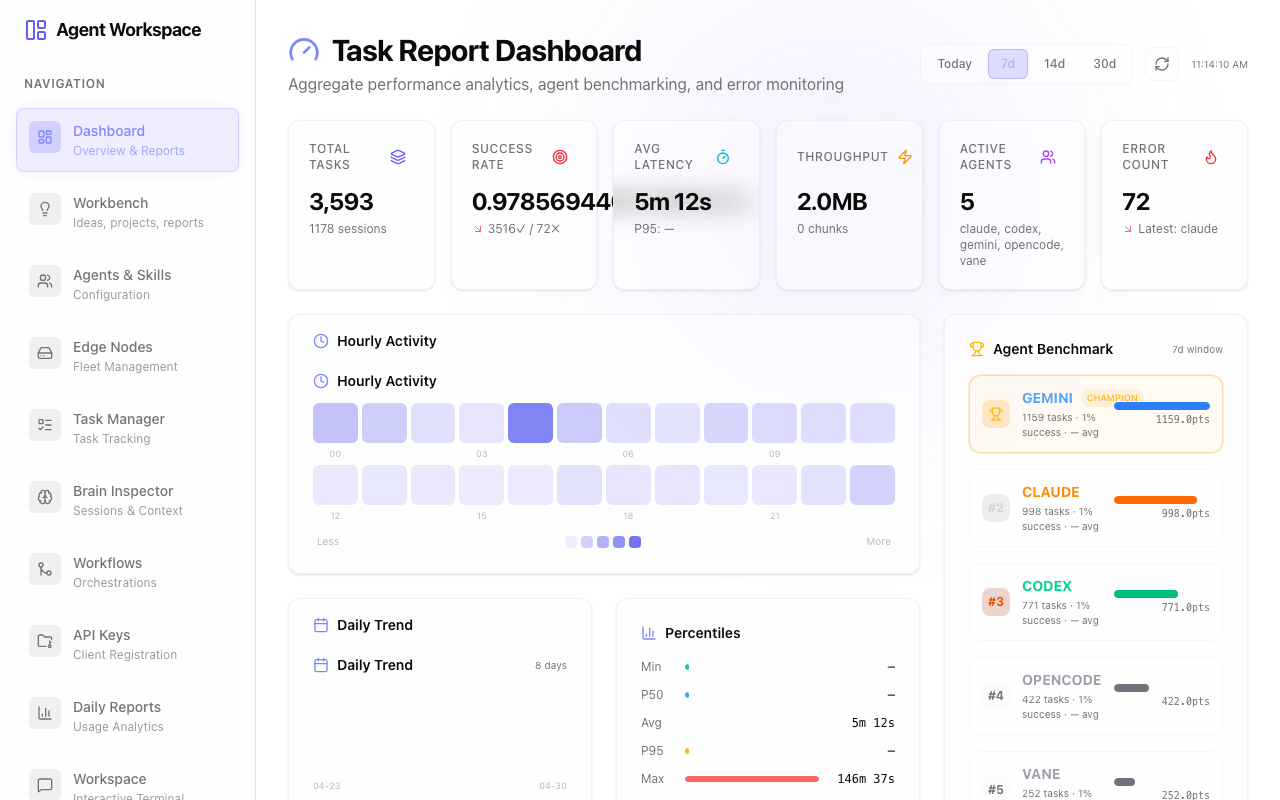
This is what you actually click on. A web page with buttons and forms. Sometimes it’s a chat box. Sometimes it’s a “submit research question” form. Sometimes it’s a kanban with sticky-note ideas. Whatever it is, it’s the interface through which you place orders.
In our system there are two menus right now:
- Agent Route — the admin dashboard, for setting up and monitoring everything
- Infinite Research — a focused menu for ordering recursive research
A third one is on the way: AI Institute — the menu for the multi-agent investment research team.
The waiter — agent-route
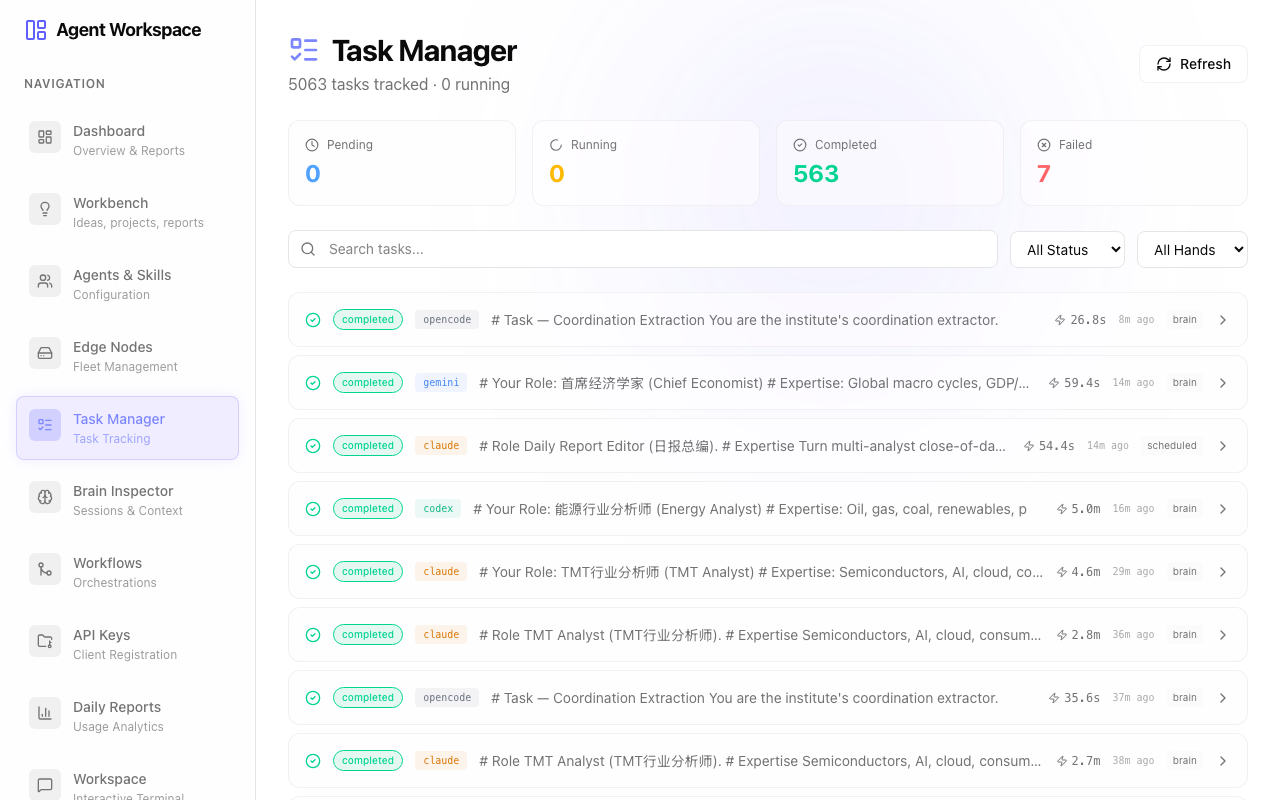
The waiter doesn’t cook your food. The waiter:
- Knows the layout of the kitchen (which cooks are working today, who’s good at what)
- Takes your order and writes it down
- Walks it to the right cook
- Tracks it while it’s being prepared
- Brings the food back to you
In software terms, this is a small program running on Cloudflare’s network. It’s stateless (it doesn’t remember anything itself), it scales to zero when nobody’s eating, and it runs in 200+ cities around the world so the closest copy serves you.
The kitchen — AI workers (we call them “hands”)
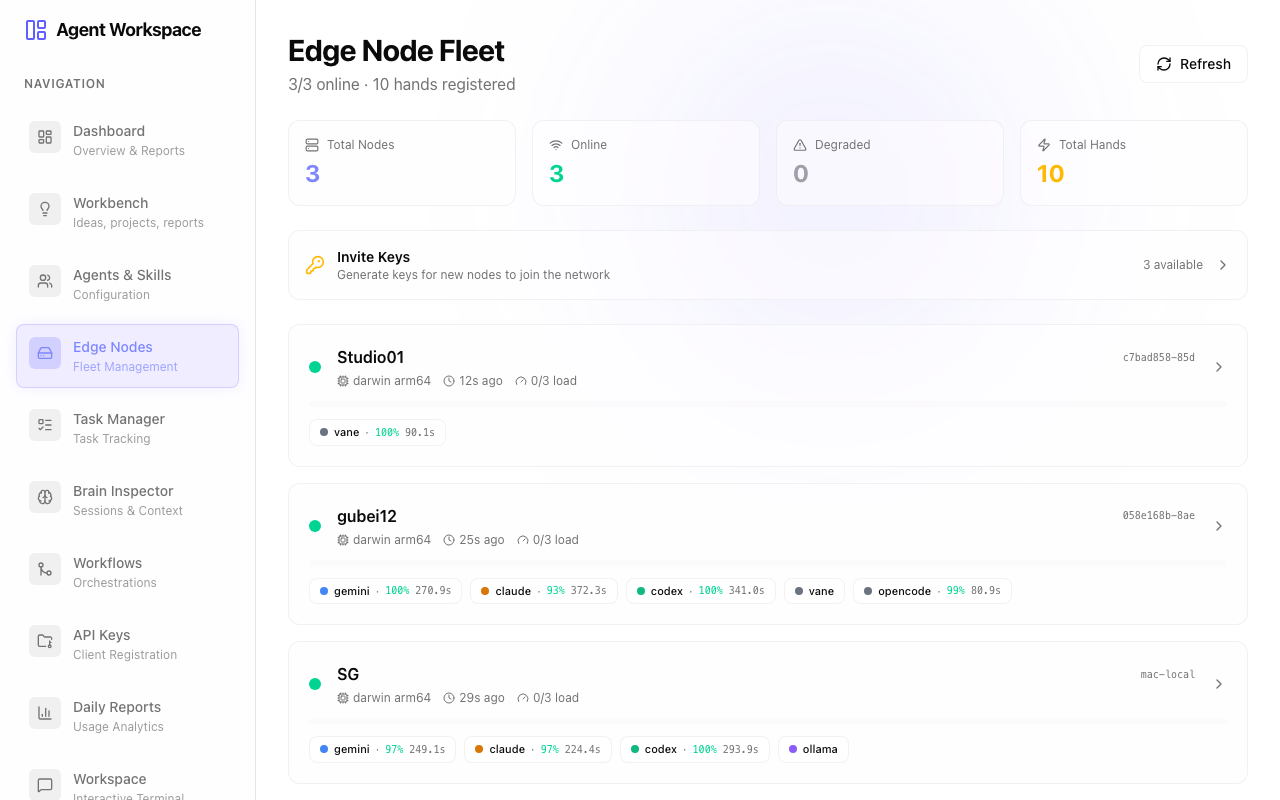
This is where the actual work happens. There are different kinds of cooks:
-
Cloud cooks — Google’s Gemini, Anthropic’s Claude, OpenAI’s GPT. These are big professional kitchens you call by phone (the API). They charge per dish (per token). They’re available 24/7 but you pay for every meal.
-
Local cooks — Mac Studios, Linux boxes, your laptop. They run AI models locally. The dish costs nothing per serving (just the electricity to run the kitchen) but they can only cook so many things at once, and they’re only available when they’re powered on.
Each cook has specialties. Some are good at code (like opencode CLI). Some are good at long-form writing (Claude). Some are fast at search (Vane). The waiter knows who’s good at what and routes accordingly.
The pantry — storage
When a cook finishes a dish, the waiter doesn’t throw the leftovers away. They go into a shared pantry that all the cooks can access:
- Recipes and notes — kept in a small database so we can look up what was made, when, by whom, for which order
- Prepared ingredients — stored as files. Things like “the report Claude wrote yesterday morning” or “the dataset that was downloaded for this project”
- The book of who-did-what — a log of every order, every step, every result. Useful for tracing what happened.
The kitchen brain — recipes and workflows
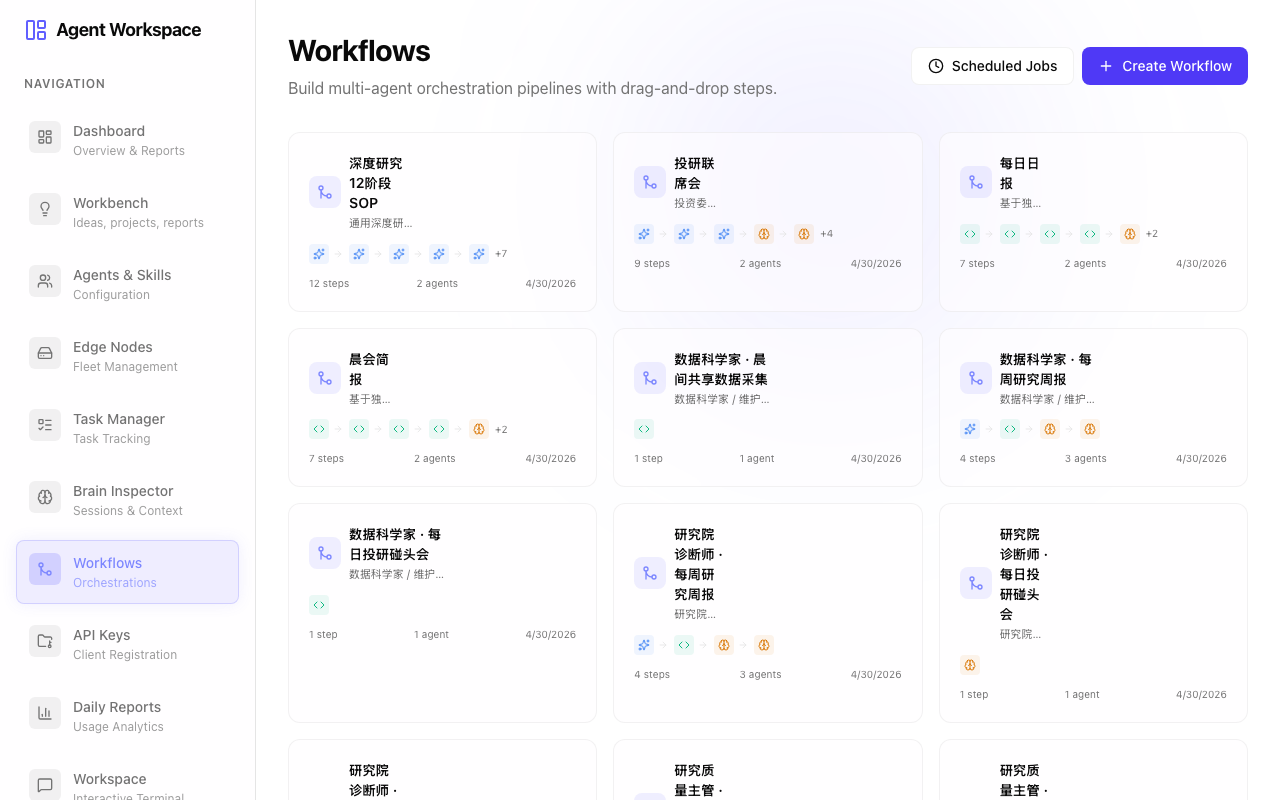
Some orders are one-off (“get me a glass of water”). Others are multi-step recipes (“make a three-course tasting menu, with wine pairings, and have the chef explain each course as they bring it out”).
In our system, multi-step recipes are called workflows. You describe a workflow once — “step 1: research the topic with Gemini; step 2: have Claude analyze the findings; step 3: have Codex generate code based on the analysis” — and the system executes it whenever you trigger it.
If you set it on a schedule (every morning at 8 AM), it runs by itself.
The reservation book — sessions

When you visit the same restaurant repeatedly, the staff might keep a record of your tastes, your past orders, what you’re allergic to. That’s a customer profile. In our system it’s called a session.
Each session has its own corner of the pantry, its own history, its own chain of prior orders. You can come back tomorrow, reference what happened yesterday, and the kitchen knows what you’re talking about.
A worked example
Let me walk through one specific order to make it concrete.
You sit down at the Infinite Research menu and type the question:
“How will US-China trade tensions affect the semiconductor industry over the next 12 months?”
Here’s what happens:
-
The dashboard sends the order to the waiter (an HTTPS request to agent-route).
-
The waiter creates a “session” for this research (so all the work has a shared notebook to write into).
-
The first cook is asked to do an initial analysis (let’s say Gemini). Gemini reads the question, generates a 5-paragraph answer with sources, and proposes 3 follow-up questions to dig deeper.
-
The waiter notices the follow-up questions and turns each into a new order: one cook to investigate sub-question A, another cook for sub-question B, another for C. They run in parallel on different cooks.
-
Each of those produces another 3 follow-up questions, which get spawned as further orders. The tree grows.
-
You watch it happen on the dashboard — a visual map of every sub-question, who’s working on it, what’s done, what’s still running. You can interrupt at any time.
-
The whole tree of findings is saved in your session’s pantry, so you can come back to it tomorrow and ask “give me a 1-page summary” — and a cook will read everything that was previously gathered and write the summary.
That’s one feature of the platform. Substitute “research” for “investment briefing” or “code refactor” or “campaign planning” and the same machinery does the job. The cooks don’t care what you’re asking about; the waiter routes accordingly.
What makes this hard (and why we needed a system at all)
Three things that look easy from the outside but actually require an operating system to handle:
1. Knowing which cook to ask
If you only had one cook, easy. With seven cooks of different specialties, varying availability, and different per-dish costs, you need a real load balancer. Ours considers: which cooks are online right now, which are busy, which have low recent error rates, which are fastest. It picks the best one for each order.
2. Recovering when a cook walks out mid-meal
AI models sometimes hang. CLIs sometimes crash. Networks sometimes blip. A naive system would lose the order. Ours has a watchdog that notices when an order has been in the kitchen too long without progress, marks it failed, and either retries it on a different cook or surfaces it for human review. Without this, the queue would fill with ghost orders within hours.
3. Sharing the pantry across kitchens
When one cook writes a file, every other cook needs to see it on their next shift — even if they’re in a different city. Behind the scenes, every file gets uploaded to a shared cloud pantry the moment it’s written, and downloaded back to whoever needs it. The cooks don’t have to know this is happening; they just see the files.
What you don’t have to think about
The whole point of building the operating system is so the user doesn’t have to know the internals.
You don’t think about:
- Which model is currently running your job
- Whether the model is on a Mac Studio or a cloud API
- How files persist between sessions
- What happens when something fails
You think about:
- What you want
- Who should produce it (which agent, or “the team”)
- When you want it (now, scheduled, on a trigger)
If the operating system is doing its job, the kitchen is invisible. You’re just placing orders.
What the system feels like to use
A typical interaction:
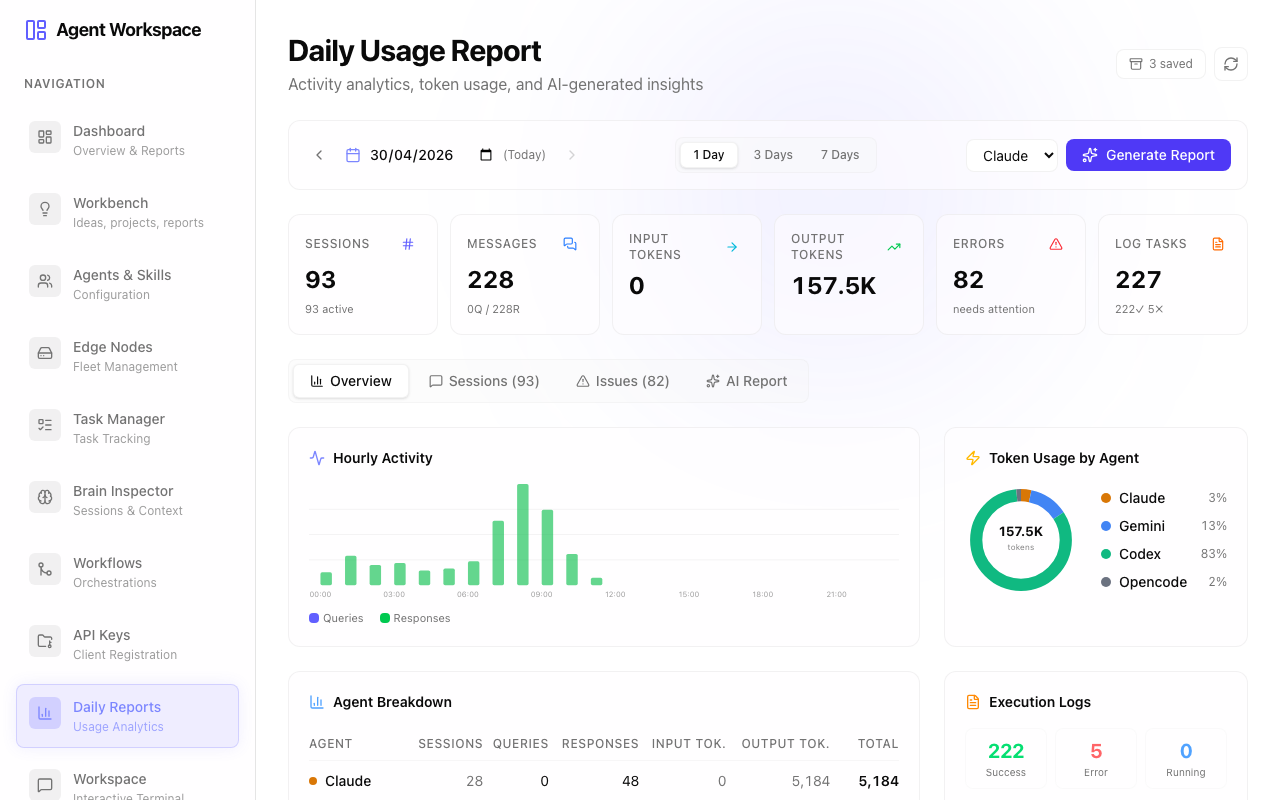
I open the dashboard. I see four AI workers online — claude, gemini, codex, opencode. I pick “AI Institute” from my projects. I look at the kanban of ideas I’ve been collecting. I drag one — “stablecoin regulation in Singapore” — into the “researching” column. The system spawns three AI analysts in parallel: a compliance officer, an ESG analyst, and a derivatives strategist. I watch the dashboard. Twenty minutes later, I have three reports plus a synthesis from the chief economist. I read, comment, refine. Tomorrow morning at 8 AM, the same workflow runs automatically against new data and emails me the result.
That’s not a future vision. That’s what’s running today, on three top-tier AI subscriptions (Claude, ChatGPT, Gemini), trivial Cloudflare spend, and a couple of Macs in the corner that I already owned.
The next two articles get into the actual apps in more detail. Article 3 covers Infinite Research — the recursive question explorer. Article 4 covers AI Institute — the multi-agent investment research team.
Previous: The Big Idea · Next: App Spotlight — Infinite Research